Product
miKey
Self-hosted licensing, entitlements, subscriptions, and billing for software you sell, from the key you issue to the invoice that closes the term.
Built for
Software companies distributing licensed or subscription products
What it does
miKey is the commercial back office for software you sell. One console covers the whole path a paying customer takes: the product they bought, the plan and price they are on, the key that unlocks it, the installation that key is bound to, the features that installation may use, and the invoice that closes each term.
The central rule is deliberately simple. One license key authorizes one live installation. Editions, seat ceilings, trials, renewals, and exceptions all hang off that one fact, which is what keeps the commercial record and the running software from drifting apart.
What separates it from a key generator is that entitlements are typed rather than flags. A limit is a number your application can read, a date it can compare, or an option it can switch on. The value a given customer gets resolves through product, edition, plan version, and override in a defined order, and the console will tell you which one applied.
Terms are immutable once published, and each subscription stays pinned to the version it was sold on, so changing next quarter’s pricing never rewrites a contract you already signed.
It is self-hosted. One container alongside MariaDB, on your own infrastructure, so your customer list and your commercial terms stay on hardware you control.
Built for software companies that have outgrown spreadsheets and manual license emails, and want customers to serve themselves without giving up control.
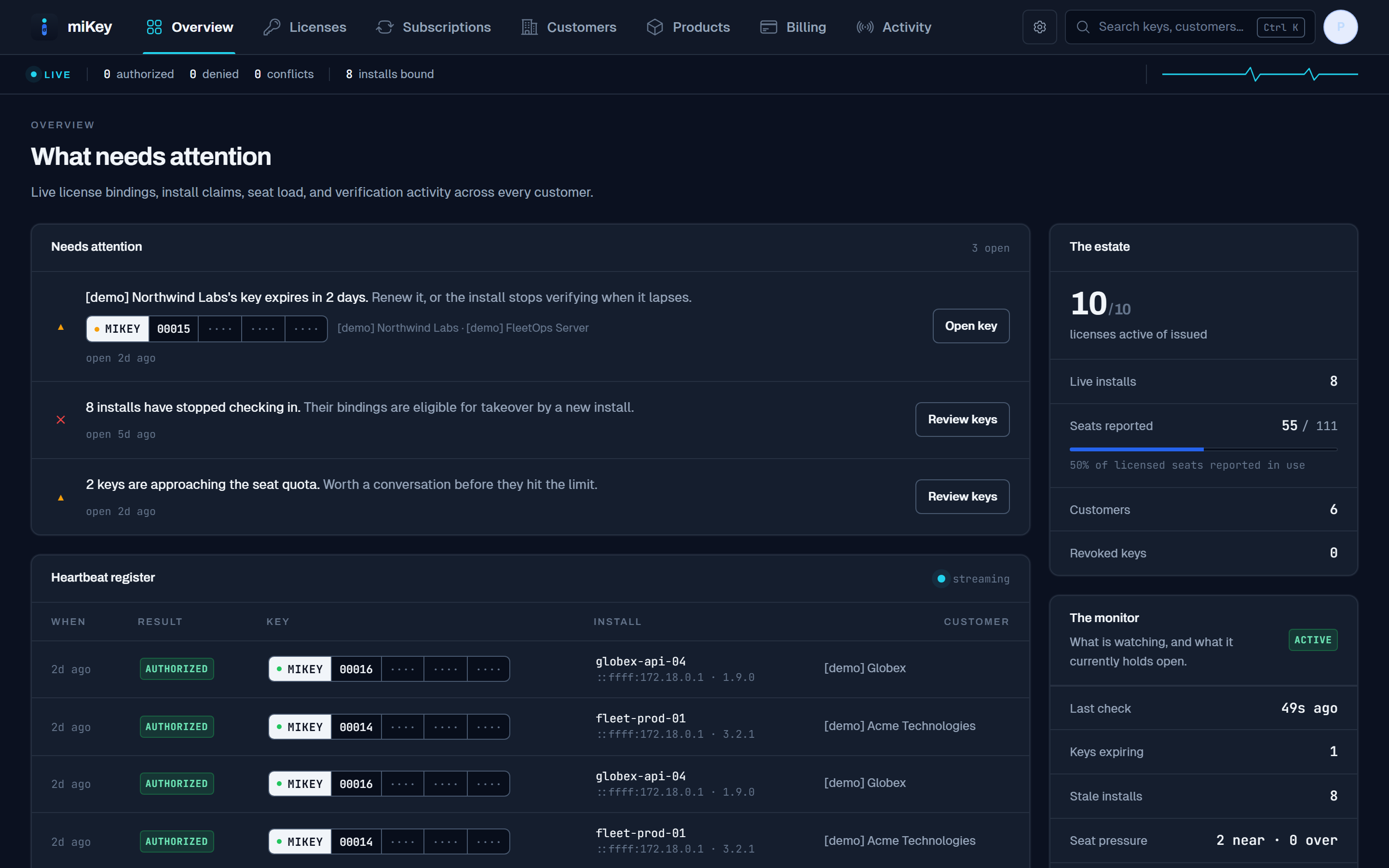
How an entitlement moves
From a purchase to a running installation, and every change after.
The commercial record and the software’s behavior stay in step, because they are the same record.
01
Product, edition, and what each one allows
You define the catalog and the entitlements behind it, as real values rather than flags: a seat count, a limit, an expiry date, or a fixed set of options.
02
A plan version, published and frozen
Pricing, billing interval, trial length, grace period, and seat limits are set on a plan version. Once published, those terms do not change.
03
The customer subscribes
The subscription pins the plan version it was sold on, so revising your pricing later leaves this agreement exactly as it was signed.
04
A key is issued, carrying a snapshot
The license records the entitlements it was sold with, so changing your catalog afterwards does not quietly alter what this customer is owed.
05
One installation claims it
The key authorizes a single live install. A second is refused, and the customer can release the binding themselves when they move servers.
06
It keeps checking in
The install reports back and receives its current edition, limits, and seat ceiling, so a lapsed subscription or a granted exception reaches the running software rather than waiting on a release.
07
The term rolls, on its own
A trial converts, a term renews, an invoice is raised, an unpaid account enters its grace period, and an expiry alert goes out, all without anyone remembering to do it.
08
And all of it is on the record
Every operator action is written to an append-only log, and finalized invoices are corrected with credit notes rather than edits, so the history stays worth reading.
One record, two audiences
The same entitlement, from both sides of the sale.
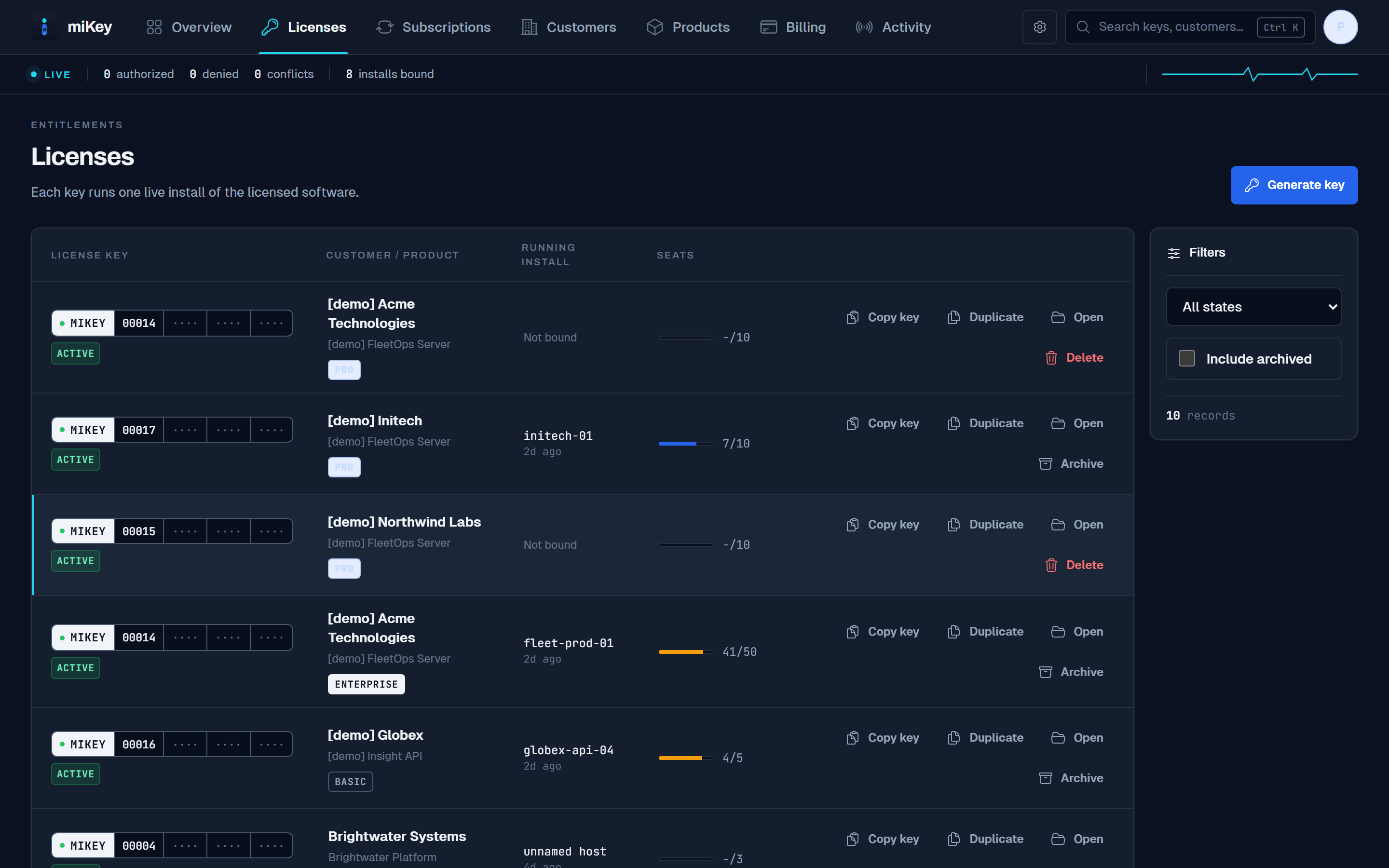
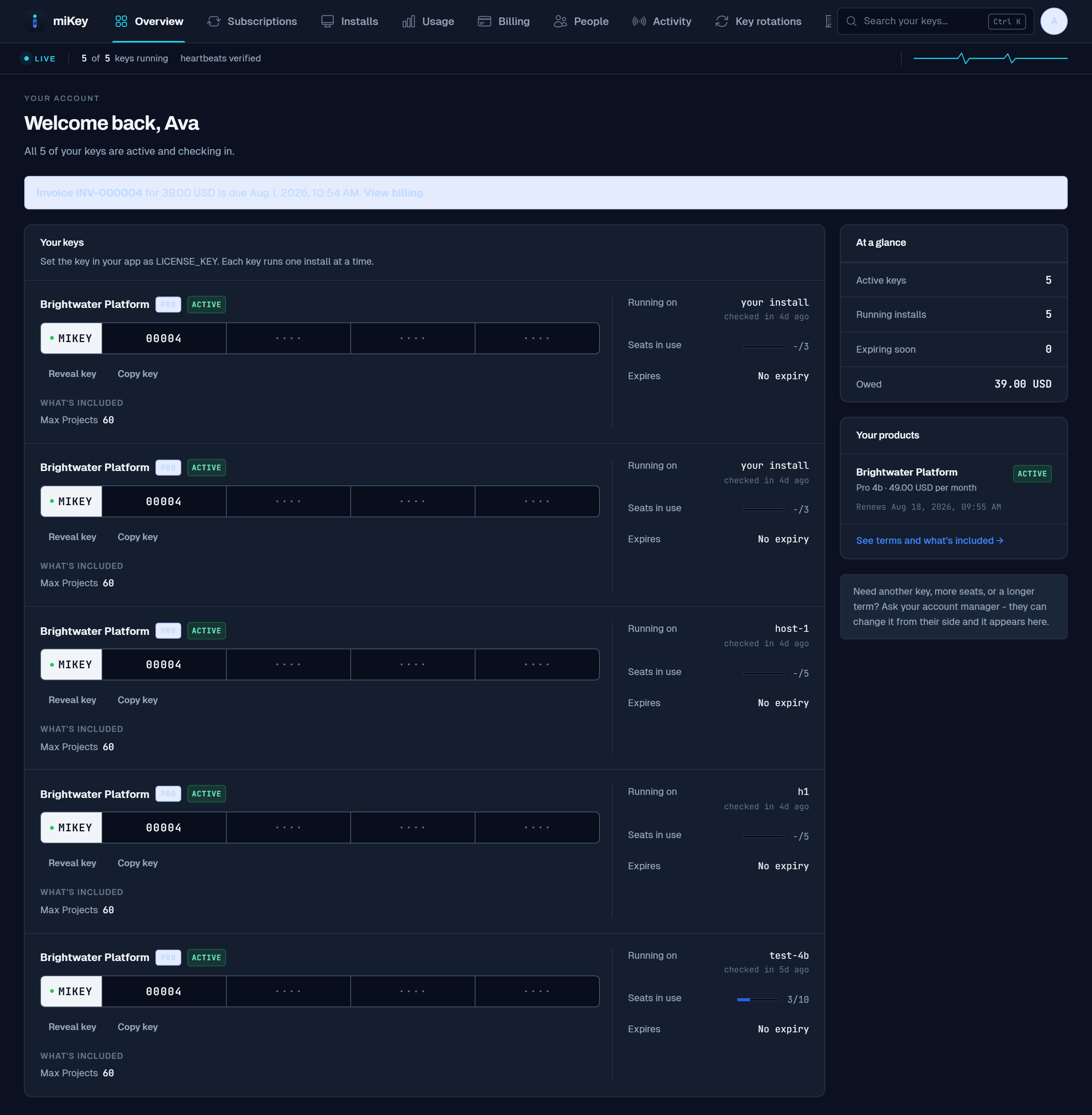
You issue a key, set what it entitles, and watch it check in. Your customer sees only their own keys, what each one runs on, and what they owe. Neither side is a separate system reconciled overnight, they are one record read from two directions.
One entitlement record
What you see
What your customer sees
Capabilities
What is included, grouped by the part of the business it serves.
Entitlements
Typed entitlements, not feature flags
An entitlement can be a number, a date, a limit, a fixed set of options, or simply unlimited, so your application reads a real value instead of interpreting a flag.
Layered defaults, with the reasoning shown
A value resolves through the product default, the edition, the plan version, then any customer or subscription exception. The console names which one applied, so "why does this customer have this" has an answer.
Entitlement snapshots on every license
A license records what it was sold with. Revising your catalog later does not quietly change an existing contract; migrating one is a deliberate act.
Exceptions that expire and explain themselves
Grant a customer more than their plan allows, with a reason attached and an optional end date, recorded rather than remembered.
Commerce
Versioned plans with immutable terms
Pricing, billing interval, trial and grace periods, and seat limits are set per plan version. A subscription stays pinned to the version it was sold on, so a price change never rewrites an existing agreement.
One subscription lifecycle
Trialing, active, past due, paused, suspended, canceled, and expired, with pauses, reinstatements, and cancellations either now or at period end. A plan change previews which keys it re-terms before you commit.
Invoices that stay put
Invoices are raised automatically as each term rolls. A finalized invoice never changes, and a correction is a credit note against it rather than an edit to history.
Proration handled in one place
Upgrades invoice the difference, downgrades credit a ledger that applies against the next invoice, and a payment provider can drive all of it through a signed webhook.
Licensing
One key, one live installation
A key authorizes a single running install. A second is refused, and the customer can release the old binding themselves when they move to a new server.
Keys encrypted at rest, revealed on request
A key is stored encrypted and shown only to your own administrators and the customer who owns it.
Install history and denied attempts
Which host ran a key, when it last checked in, and what was refused or in conflict, kept rather than overwritten.
Seat ceilings, with enforcement left to you
Your application reports seats in use; miKey returns the allowed maximum and raises a capacity alert as it fills. Deciding who can sign in stays your application’s job, deliberately.
Portals
A customer portal scoped to one customer
Retrieve keys, release an install, watch usage, read invoices, and maintain an organization profile. A customer sees their own tenant and nothing else.
An operator console with real roles
Named permissions rather than one administrator level, scoped API tokens for machine access, and authenticator-app multi-factor sign-in.
Operations
Automation that runs without you
A background worker rolls terms, converts trials, enforces payment grace, expires licenses, and raises alerts for approaching expiry, stale installs, conflicts, and seat pressure.
An append-only audit trail
Every operator action is recorded and cannot be edited afterwards, which is what makes the history worth consulting.
Self-hosted, on your infrastructure
One container with MariaDB as the only external dependency. Your customer list and commercial terms stay on hardware you control.
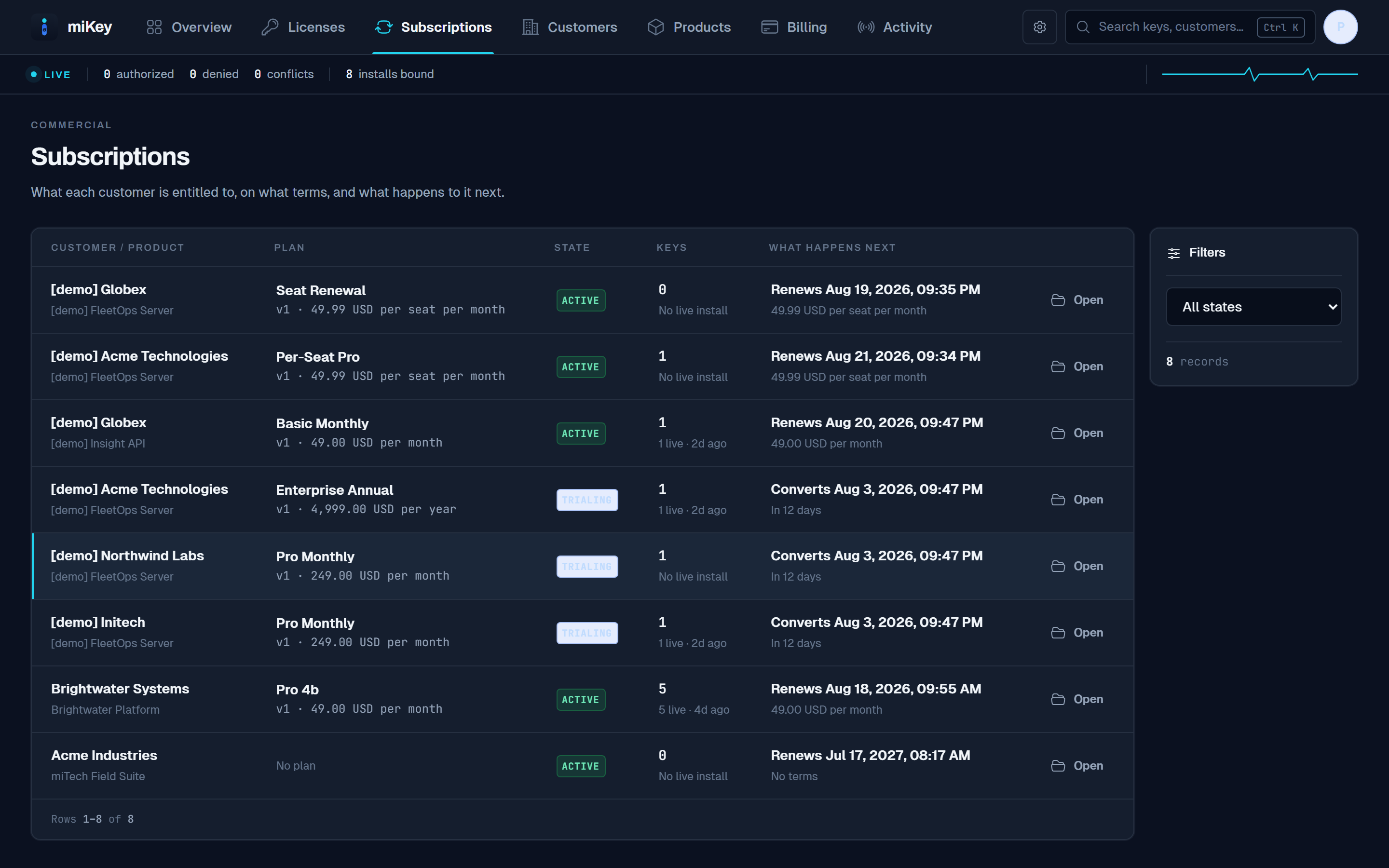
Commerce, not just keys
What each customer is entitled to, on what terms, and what happens next.
Plans, prices, seat counts, trials, and renewal dates sit on the same record as the key itself, so a lapsed payment and a licence that stops verifying are the same event rather than two systems disagreeing.
Next step
See miKey against your own process.
A demonstration walks your actual workflow through the system rather than a generic tour.